Apps & Tools

Hyperfocused
Engineer

Building focused, craft-driven software in public. Each project solves a real problem I hit — then ships as something others can use.

Download the apps
10 Projects
1 Shipped
3 In Beta
6 In Development
Exhibit 01

CORTIS

Context Intelligence Platform
Project details →

On-device AI for high-stakes conversations — your AI that knows who you're talking to before you do.

CORTIS is a context intelligence platform that ingests your life context — calendar, email, contacts, LinkedIn, CRM — and delivers actionable intelligence before and during every conversation. Not meeting notes. Not post-call analysis. Live runtime intelligence delivered through phone, earbuds, or smart glasses. CORTIS targets the gap between what you know and what you can recall in the moment.

<500ms
Pre-fetched context
On-device
No cloud round-trip
6 layers
Full-stack AI pipeline
Interview Prep (Beachhead)
Auto-detect interviews, generate company briefings, interviewer intel, and talking points.
Live Context Surfacing
Proactively surfaces relevant history and data points before and during conversations.
Personal Knowledge Graph
Compounding graph from every interaction. Hot cache of top contacts with pre-built profiles.
Multi-Device Delivery
Phone notifications, earbuds audio, or smart glasses overlay. Sub-200ms push delivery.
Founders & Executives Sales Teams Consultants Product Leaders
Python (FastAPI) Anthropic Claude Whisper / Deepgram LangGraph
Compose a post once, customize per platform, and dispatch to Twitter, LinkedIn, Reddit, Instagram, WhatsApp, and Facebook at once — with a vintage writing-desk aesthetic. → Details

I needed to step up my posting across platforms while building in public, but reformatting and manually posting the same content to six different platforms was killing momentum. Rather than paying for every API and AI provider upfront, I designed a pragmatic tiered system — OAuth where available, native share sheet as fallback, and a chatbot paste-back workflow for AI reformatting that costs nothing. The result is an app I use daily with a vintage writing-desk aesthetic that makes every post feel intentional.

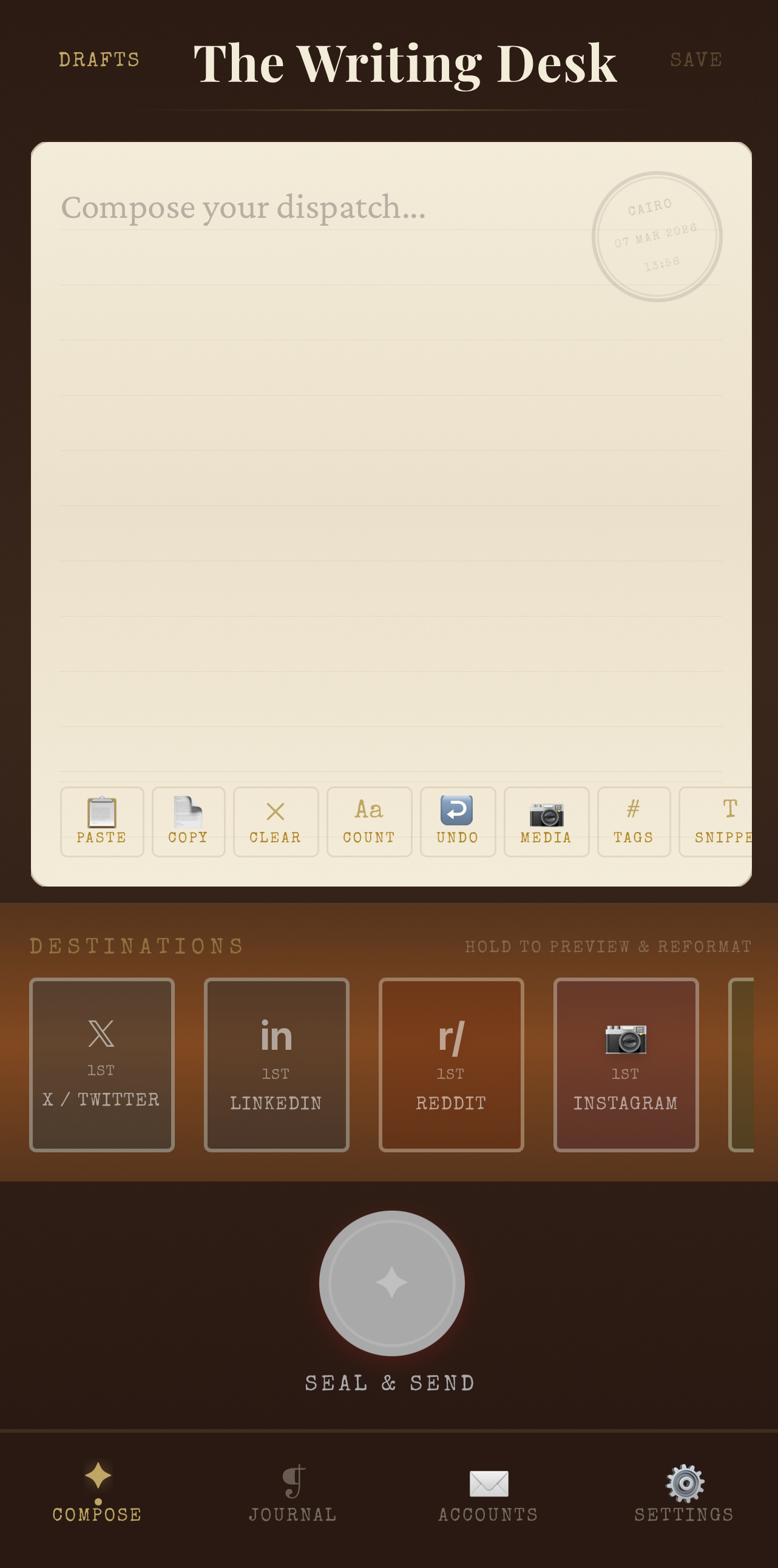
The Writing Desk compose screen
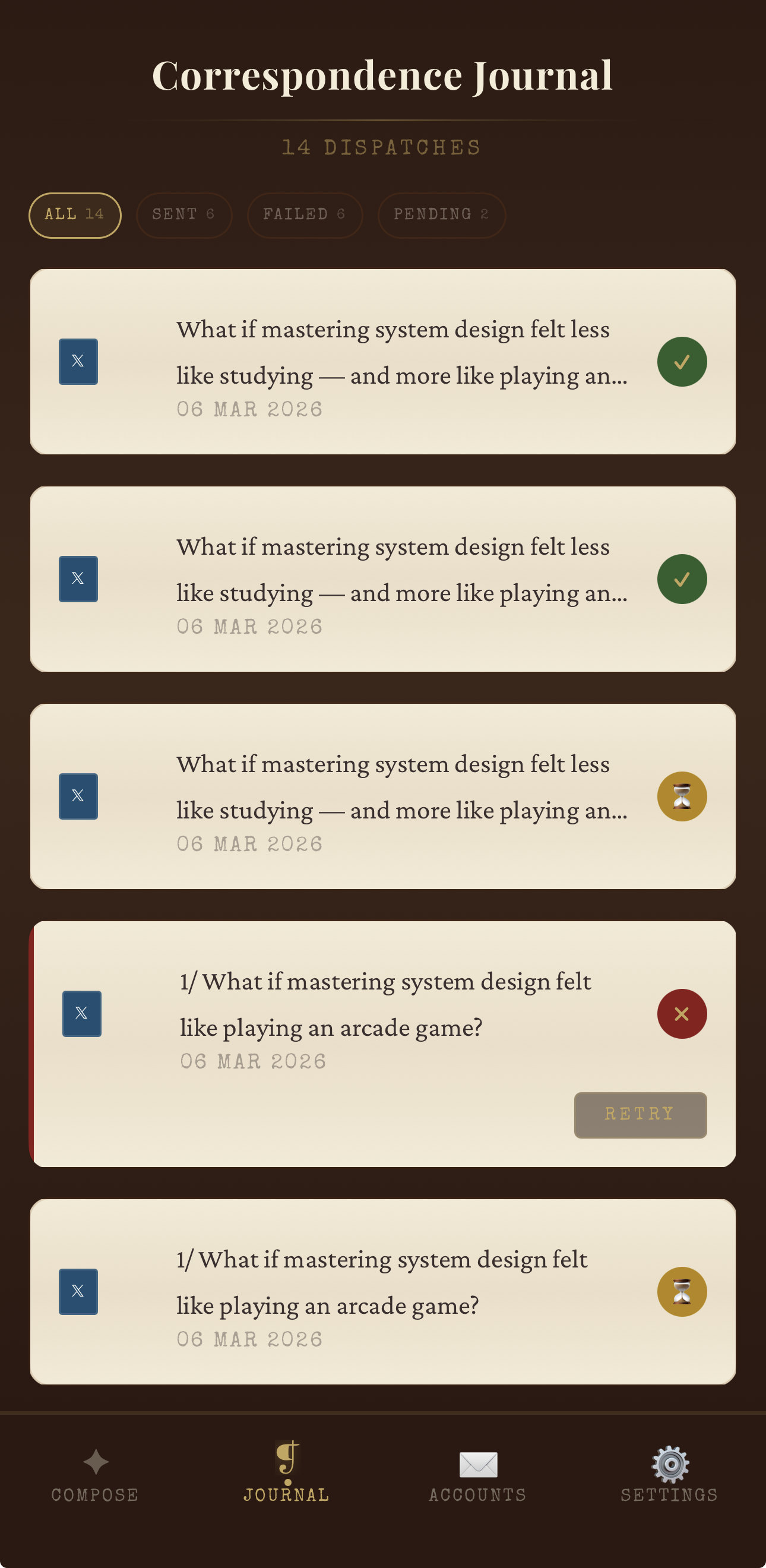
Correspondence Journal with dispatch history
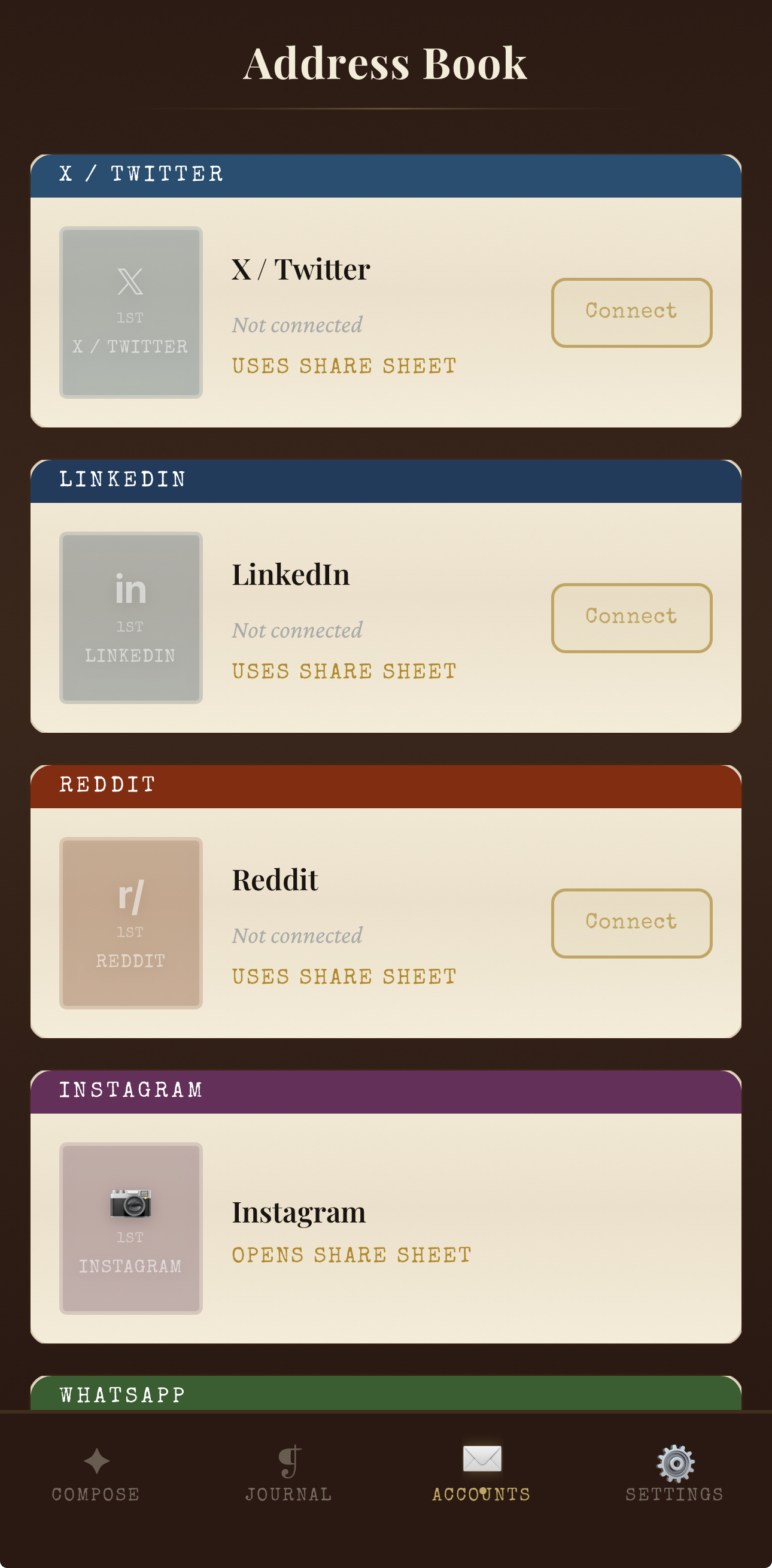
Address Book with platform connections
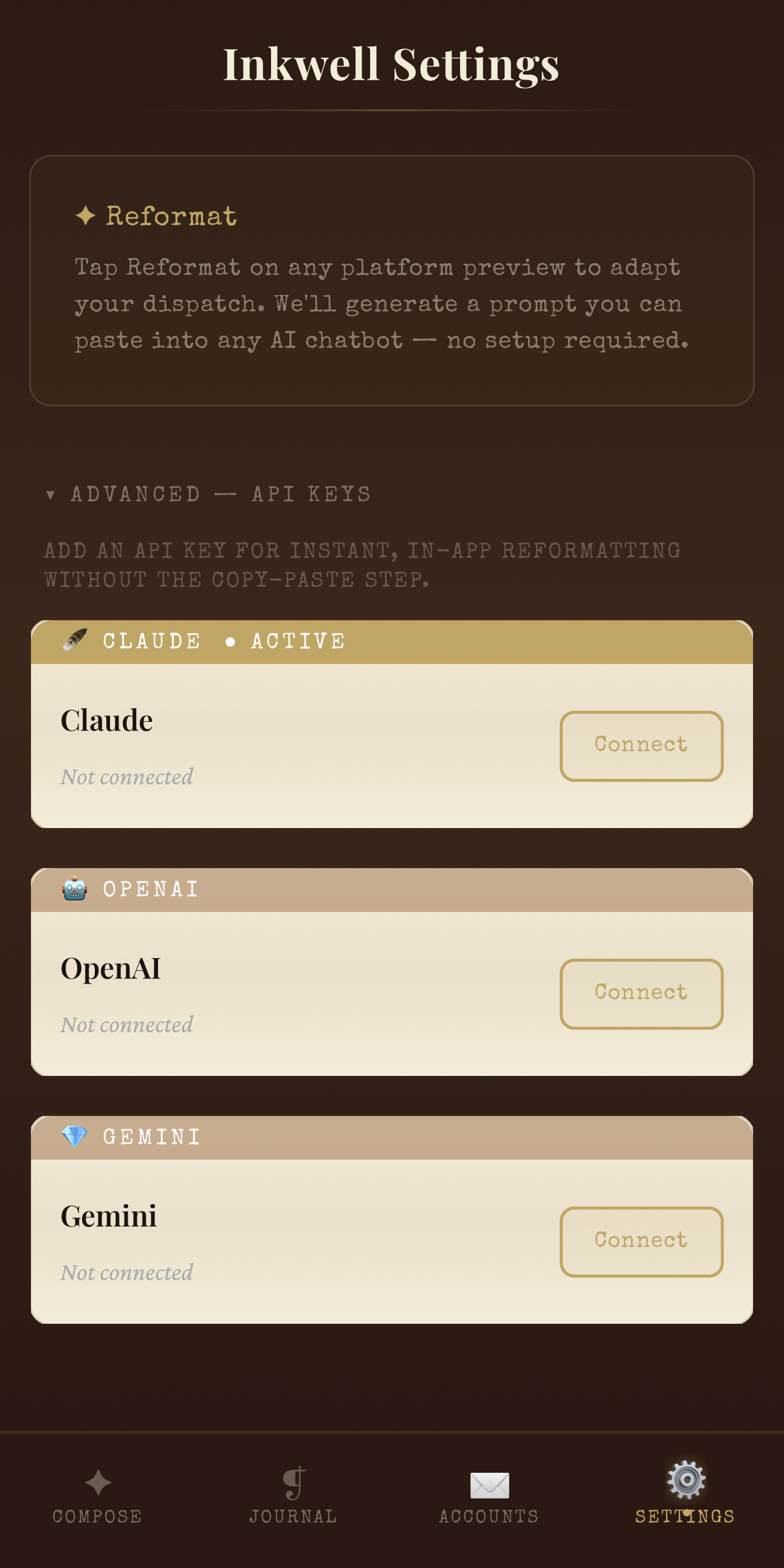
Inkwell Settings with AI reformat
Platforms
6
Posting Tiers
API + Share Sheet
AI Reformat
5 Tones
•
One-to-Many Dispatch Compose once, customize per platform, send to all at once
•
Dispatch Ceremony 4-phase wax seal animation with haptic feedback on every send
•
AI Reformat Adapt tone via your own API key or zero-cost chatbot paste-back
•
Twitter Threads Auto-split long content into numbered tweets at word boundaries
•
Per-Platform Preview Long-press stamps for platform-specific editing and customization
•
Post History & Retry Journal tracks every dispatch; retry failed platforms individually
Creators Build-in-Public Founders Content Marketers Indie Hackers
React Native Expo SDK 54 TypeScript Zustand Reanimated Cloudflare Workers OAuth 2.0
Exhibit 03

System Design Arcade

Interactive Learning Game
Project details →

Master system design concepts through interactive, arcade-style mobile games. Learn caching, sharding, load balancing, and more — by playing. New: the AI Arcade, eight games on RAG, LLM serving, embeddings, and GPU fleets. → Details

System design interviews are notoriously hard to prepare for — most resources are walls of text or hour-long videos. I wanted to learn by doing, so I built an arcade-style mobile game that teaches concepts like caching, sharding, load balancing, and database design through interactive challenges. Play Level 1 of every game as a guest, or sign in free to unlock every level and sync progress across devices.

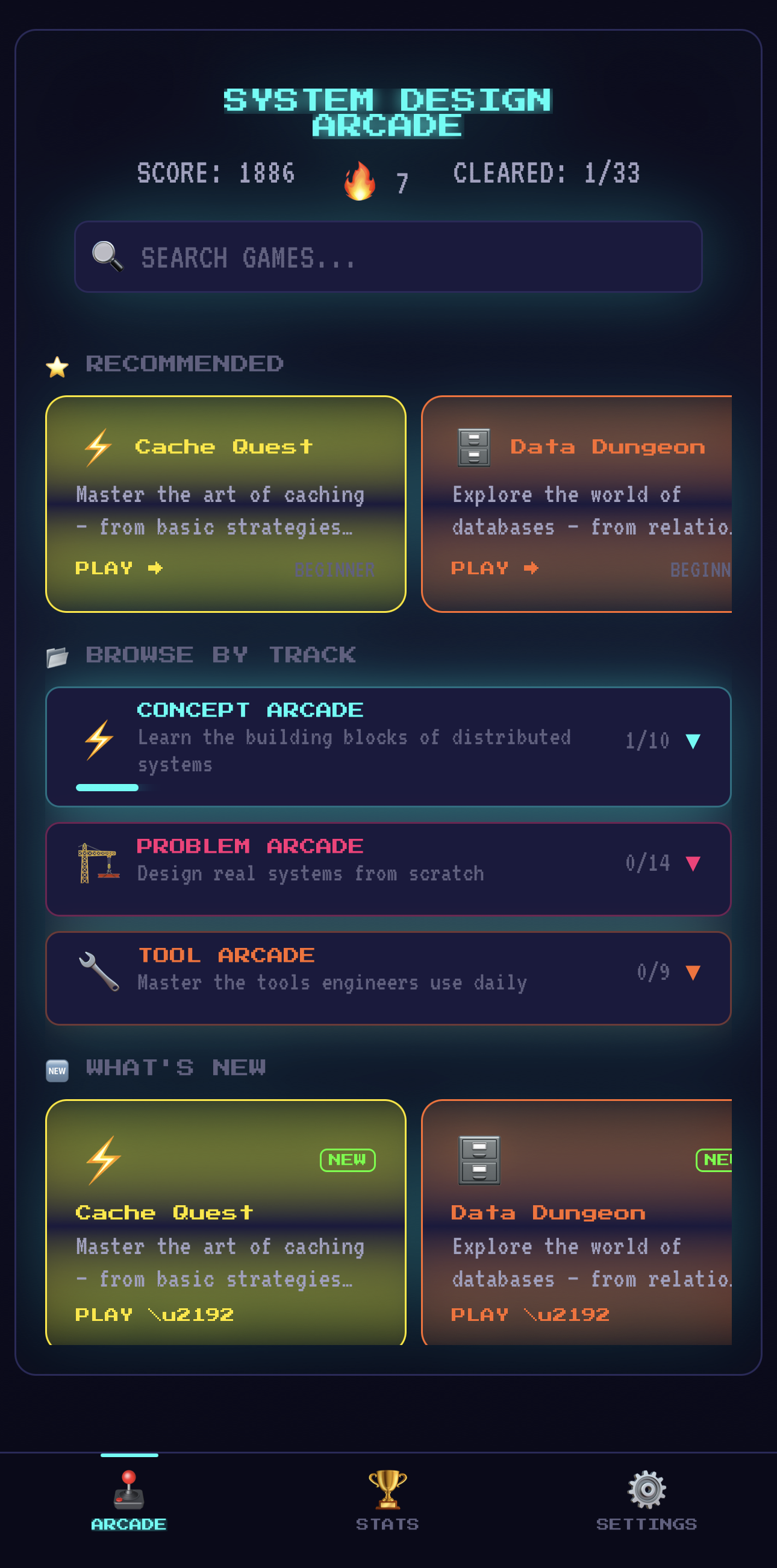
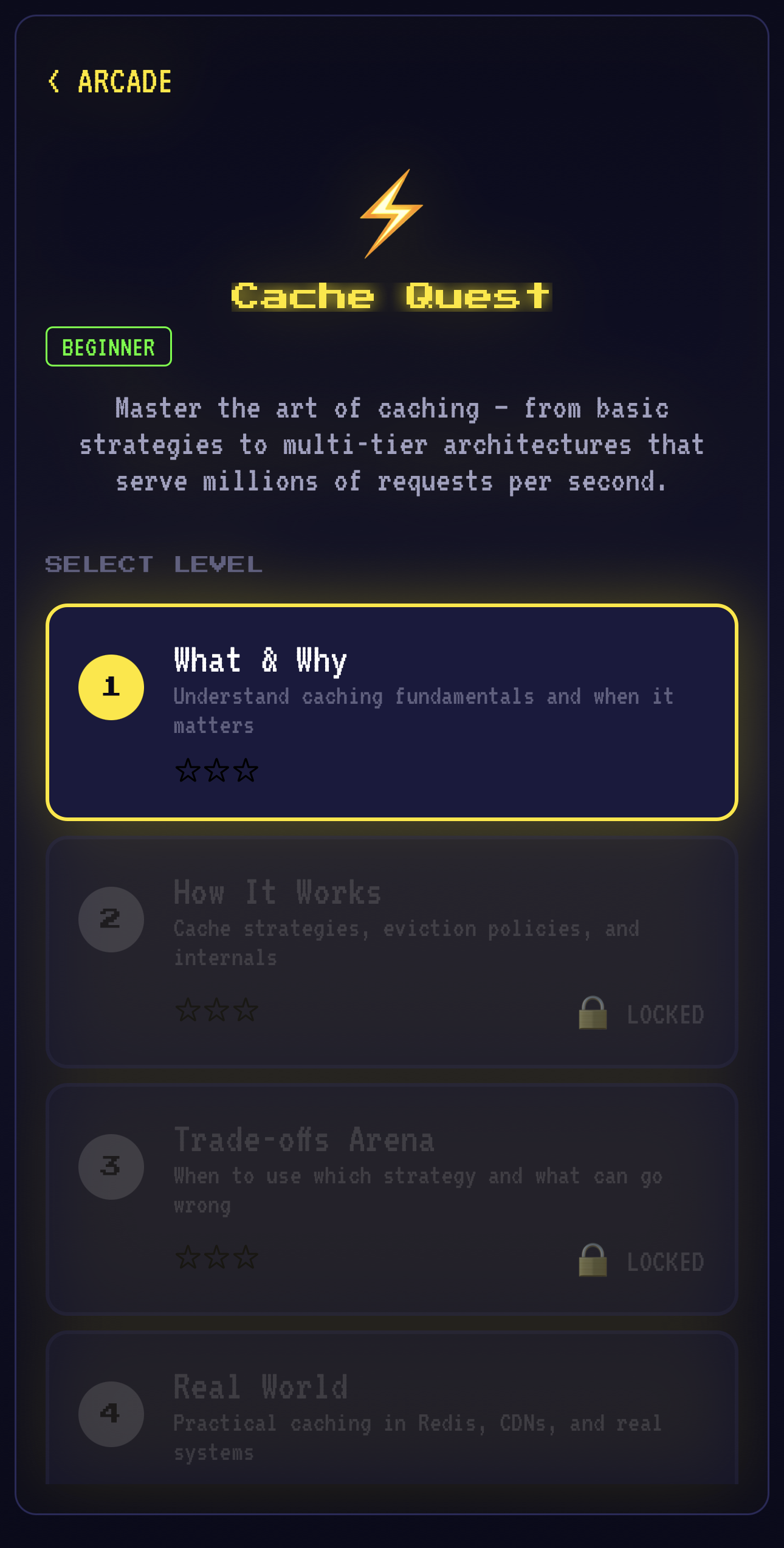
Arcade home screen with tracks and games
Cache Quest level selection
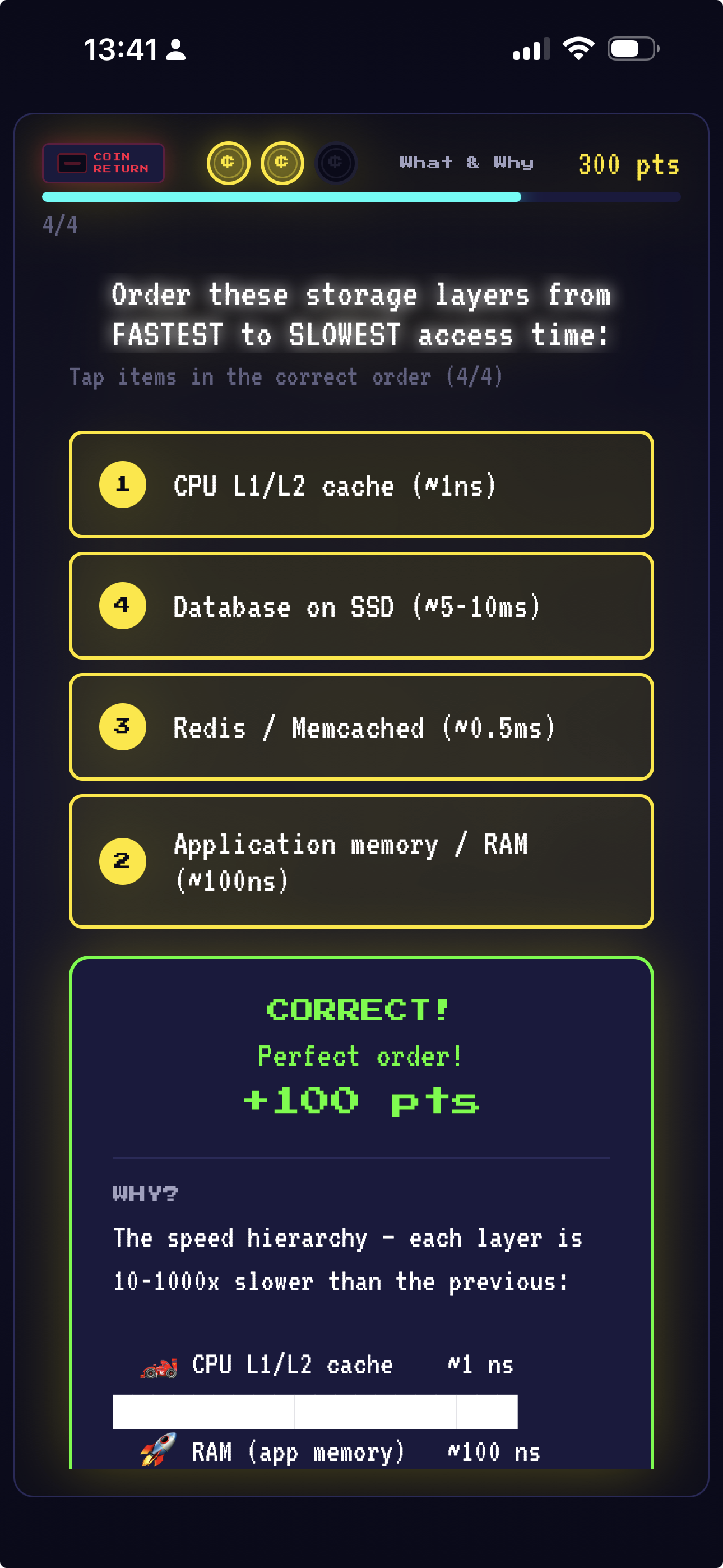
Interactive ordering quiz
Format
Arcade Games
Topics
System Design + AI Systems
Auth
Guest + OAuth / email
•
Learn by Playing Arcade-style games that teach system design concepts interactively
•
Zero-Friction Start Play Level 1 of every game as a guest, no sign-up needed
•
Cloud Sync Sign in free with Google, GitHub, or email (plus Apple on iPhone and iPad) to unlock every level and sync progress
•
No Ads No ads, no subscription, no ad tracking, no data sold
Software Engineers Interview Candidates CS Students
React Native Expo TypeScript Supabase Google OAuth Apple Sign In GitHub OAuth
Exhibit 04

TossUp

Cricket Auction & Club Platform
Project details →

Run professional-grade cricket auctions with real-time bidding, dual auction models, role-based live views, club management, and tournament hosting. → Details

Cricket auctions — especially IPL-style ones — require coordinated real-time bidding, budget tracking, and instant player assignment. Running them on spreadsheets is chaos. I built a full auction platform with two bidding models (sealed-tender and open outcry), role-based live views for auctioneers, captains, and spectators, and real-time Supabase subscriptions powering every update. It grew into a complete cricket management platform with club creation, event scheduling, tournament hosting, and a public discovery gateway.

Live
Auction
Captain
Dashboard
Club
Dashboard
Explore
Gateway
Bidding Models
Sealed + Open Outcry
Live Views
3 Roles
Platform
Web (Next.js)
•
Dual Auction Modes Sealed-tender or IPL-style open outcry with dynamic price increments
•
Real-Time Live View Role-based spectating: auctioneer, captain, and public views with 30+ toggles
•
Captain Dashboard Budget gauge, squad composition chart, tier tracking, and bid history
•
Club & Tournament Management Create clubs, schedule events, host tournaments with registration workflows
•
Discovery Gateway Public explore page for finding clubs and tournaments in your area
•
CSV Player Import Bulk-load player pools with tiers, roles, base prices, and metadata
Cricket Clubs League Organizers Auction Hosts Team Captains
Next.js 16 React 19 TypeScript Supabase TailwindCSS 4 shadcn/ui Framer Motion Zod
Exhibit 05

Koo

Baby Tracking & Parenting Companion
Project details →

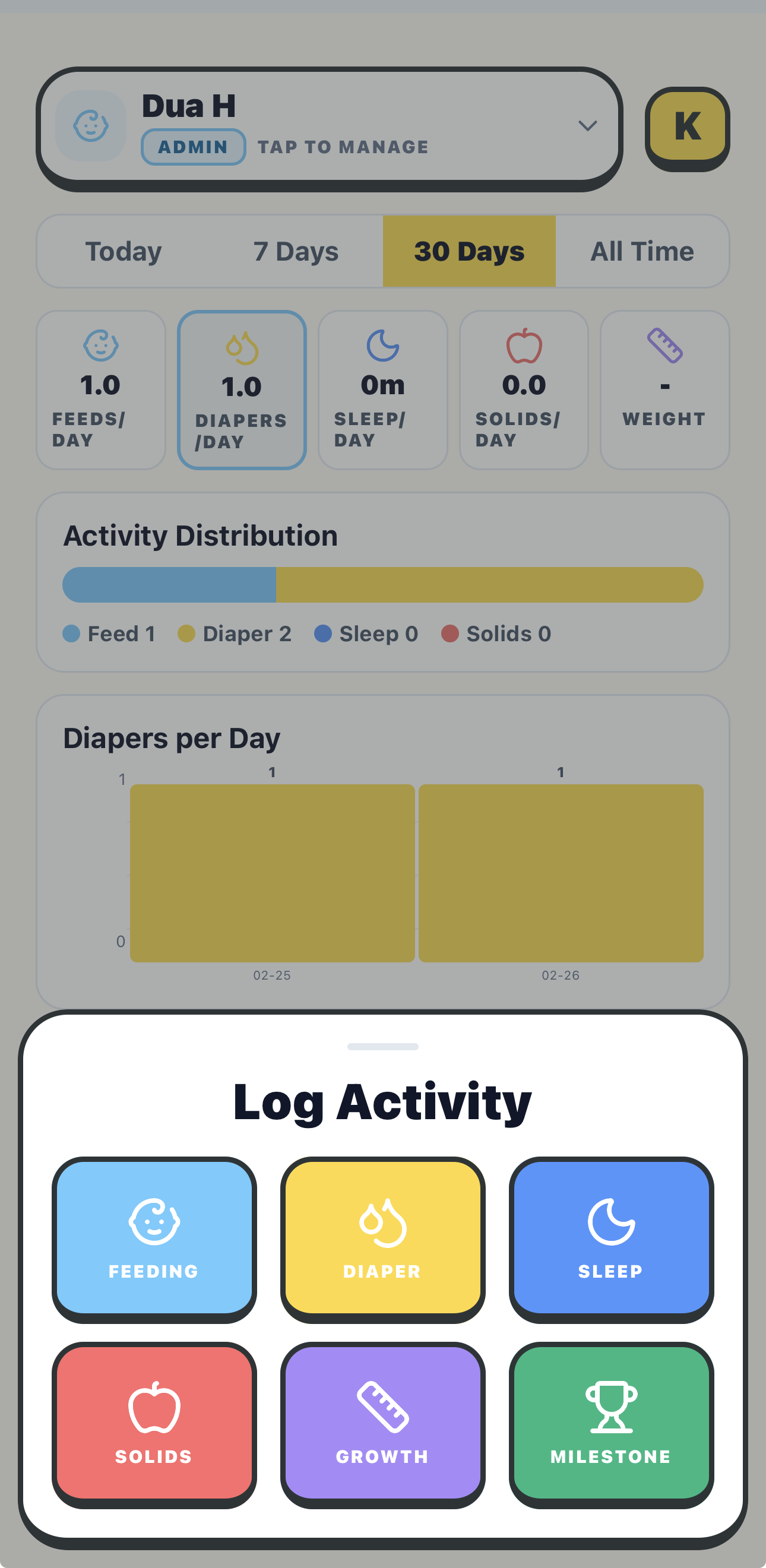
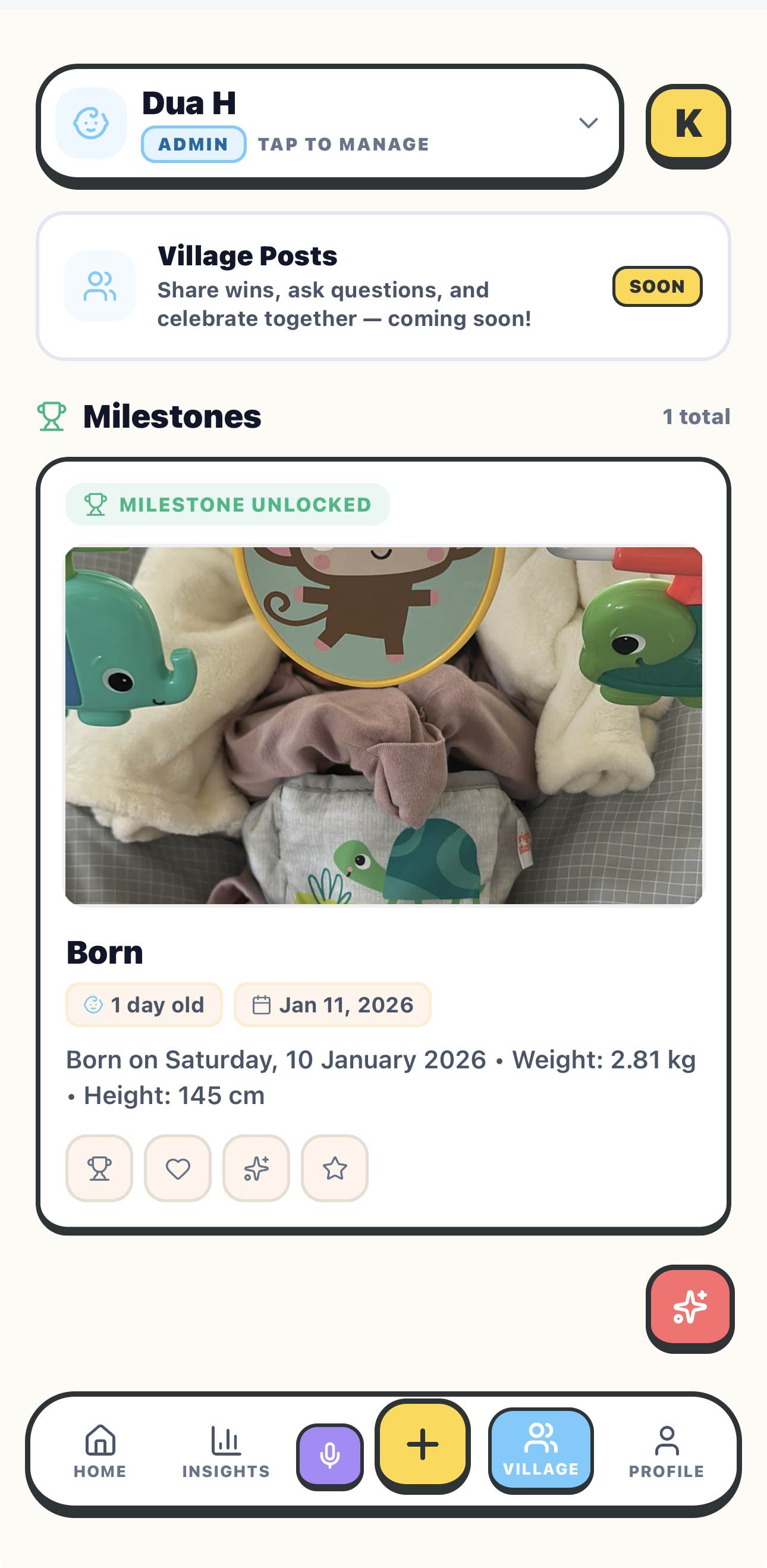
Track feeding, sleep, diapers, and milestones with voice logging, WHO growth percentiles, and collaborative caregiving through real-time family sync. → Details

Parenting data is scattered — feeding logs in one app, sleep schedules in another, photos on phones, no way for grandparents and caregivers to stay in sync. I built Koo as a unified hub: log activities by voice or form, track growth against WHO percentile curves, share milestones with family through a private Village feed, and give each caregiver role-based access. Offline-first with real-time Supabase sync when connected.

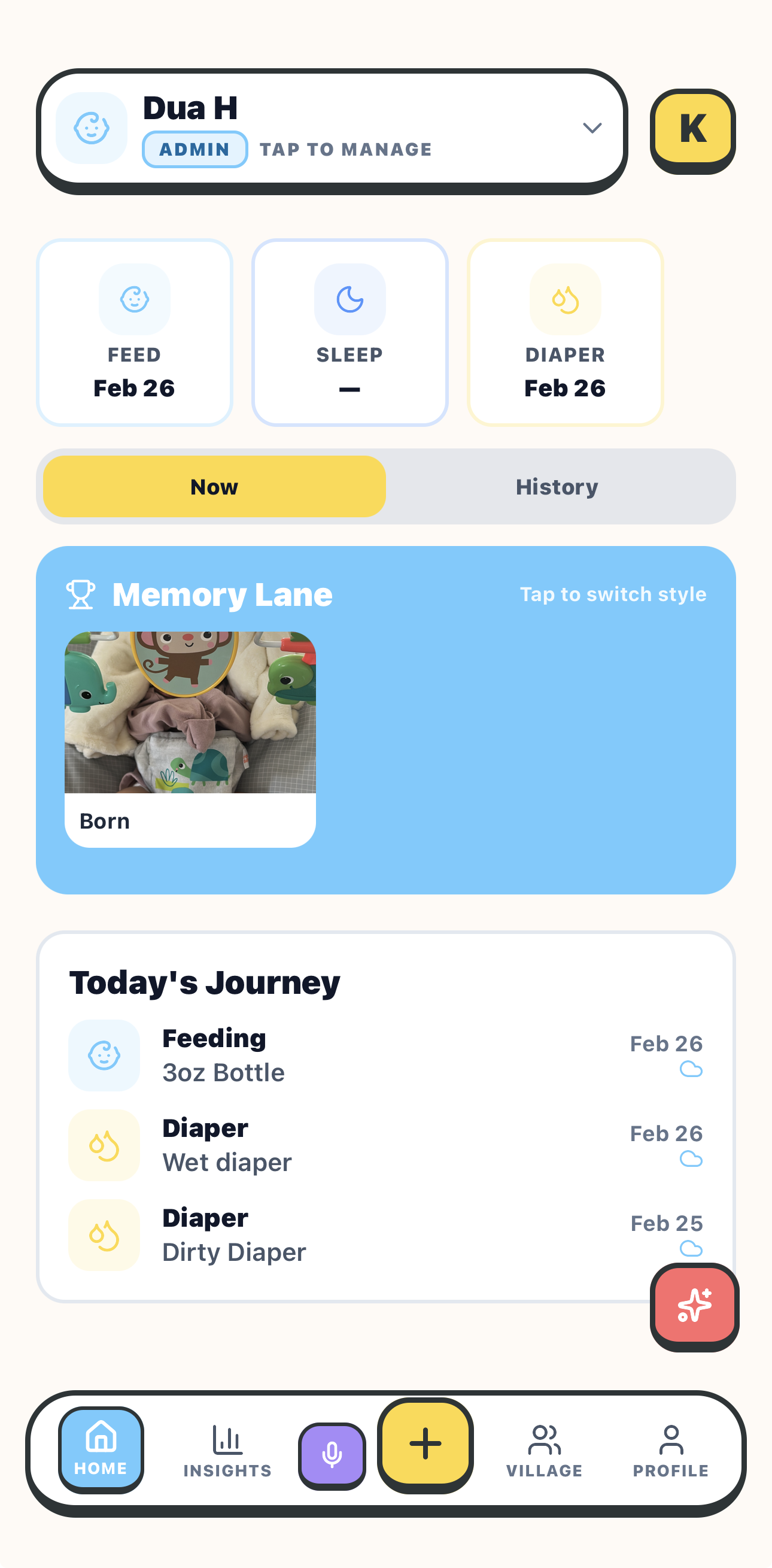
Dashboard with feed, sleep, diaper tracking
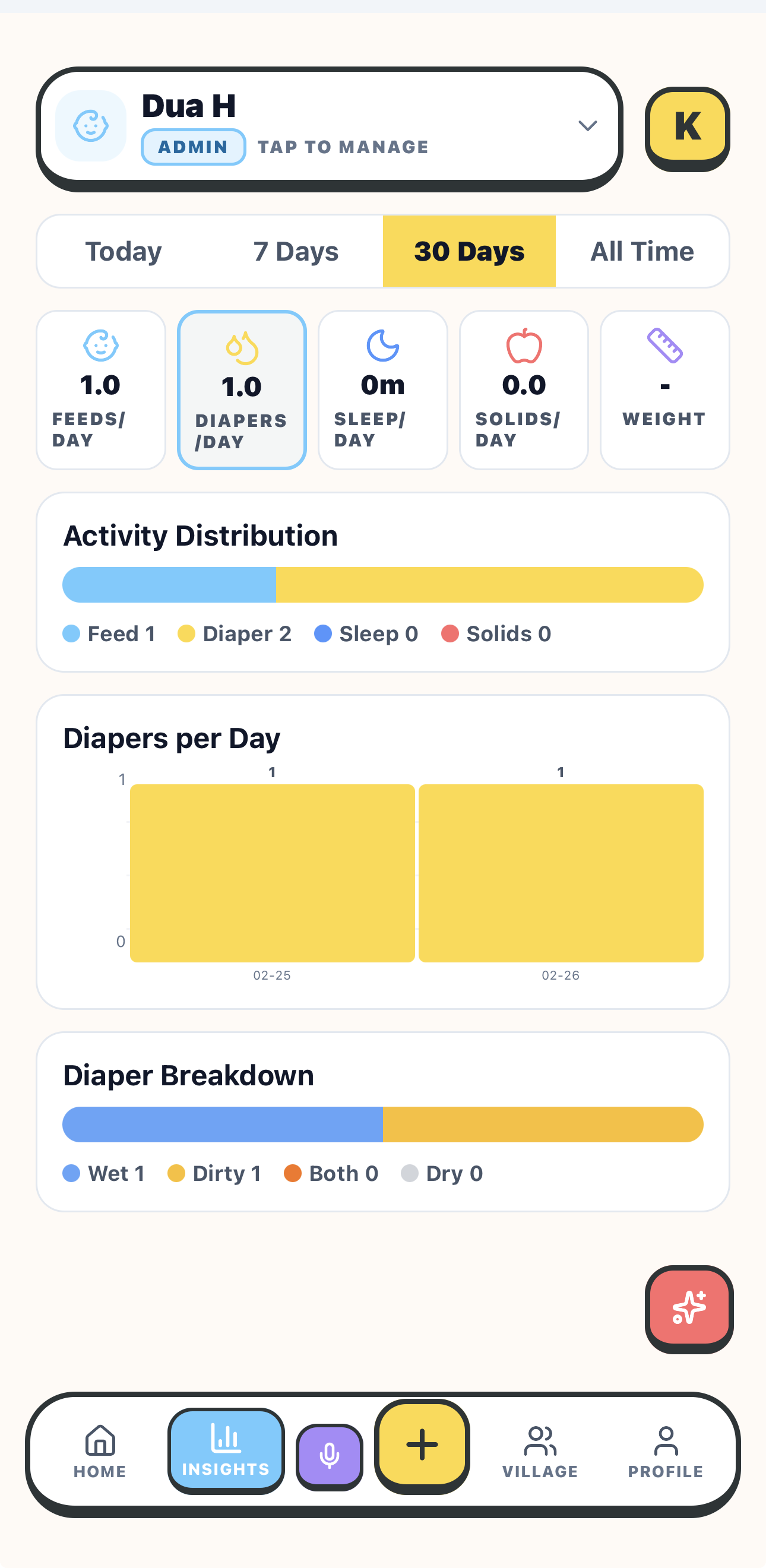
Insights with activity charts
Log Activity with category picker
Village milestones feed
Activity Types
7
Growth Data
WHO Curves
Access Roles
4
•
Voice Logging Say "4 oz bottle" and the form auto-fills — natural speech to structured data
•
WHO Growth Percentiles Clinical-grade weight and length tracking with 3rd–97th percentile bands
•
Collaborative Caregiving Invite family with role-based access: admin, caretaker, family, consultant
•
Village Feed Share milestones privately with family; reactions and celebrations built in
•
Analytics Dashboard Feeding, sleep, diaper trends with day/week/month views and comparisons
•
Offline-First Sync Works without internet; queues changes and syncs via Supabase Realtime
New Parents Extended Families Caregivers & Nannies Pediatric Consultants
React Native Expo SDK 54 TypeScript Zustand Supabase Google Gemini Speech Recognition
Exhibit 06

Zeroshot

Gamified Python & AI/ML Learning
Project details →

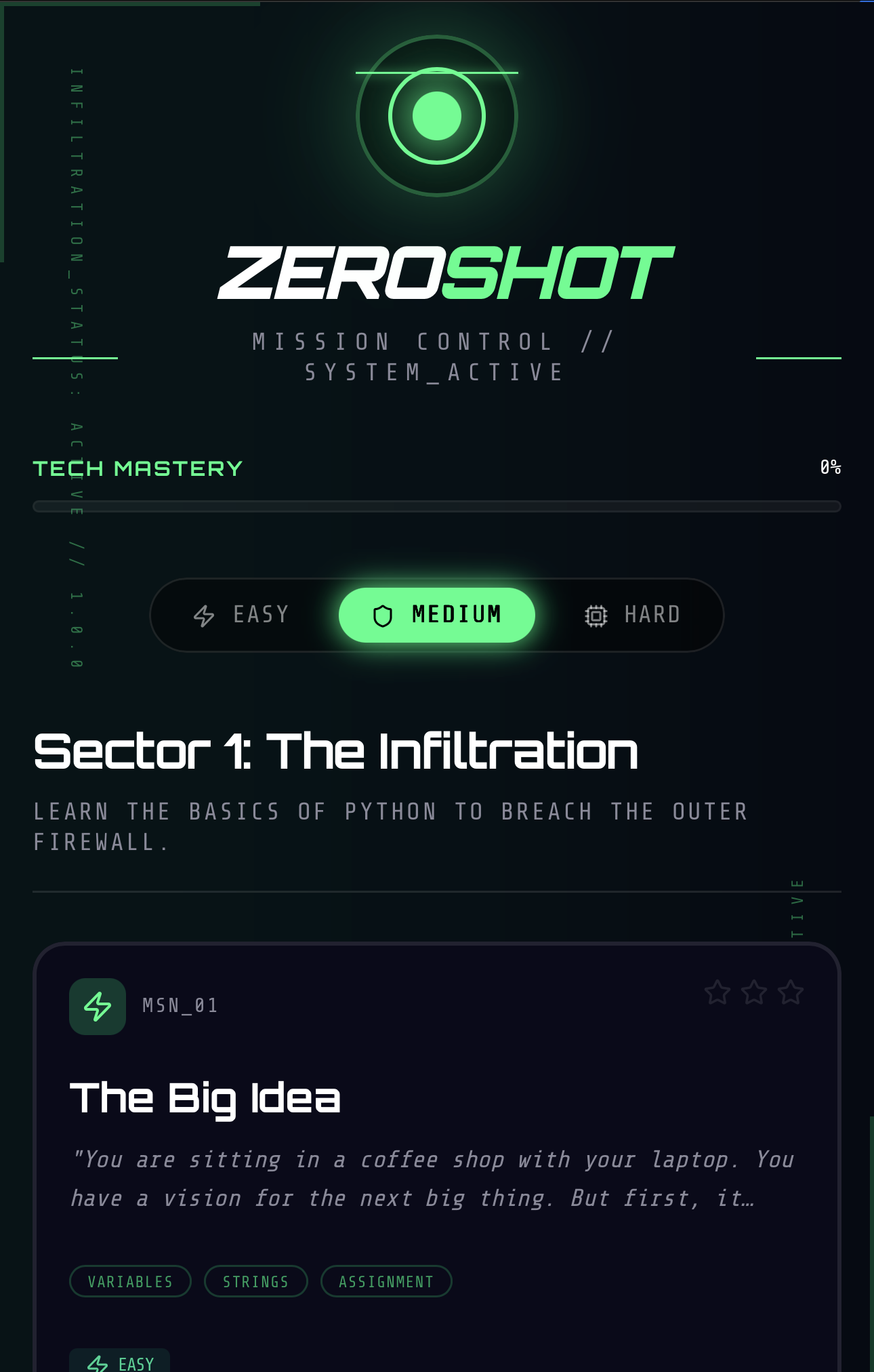
A cyberpunk-themed mobile app that teaches Python, PyTorch, and AI/ML through gamified coding missions with an AI co-founder.

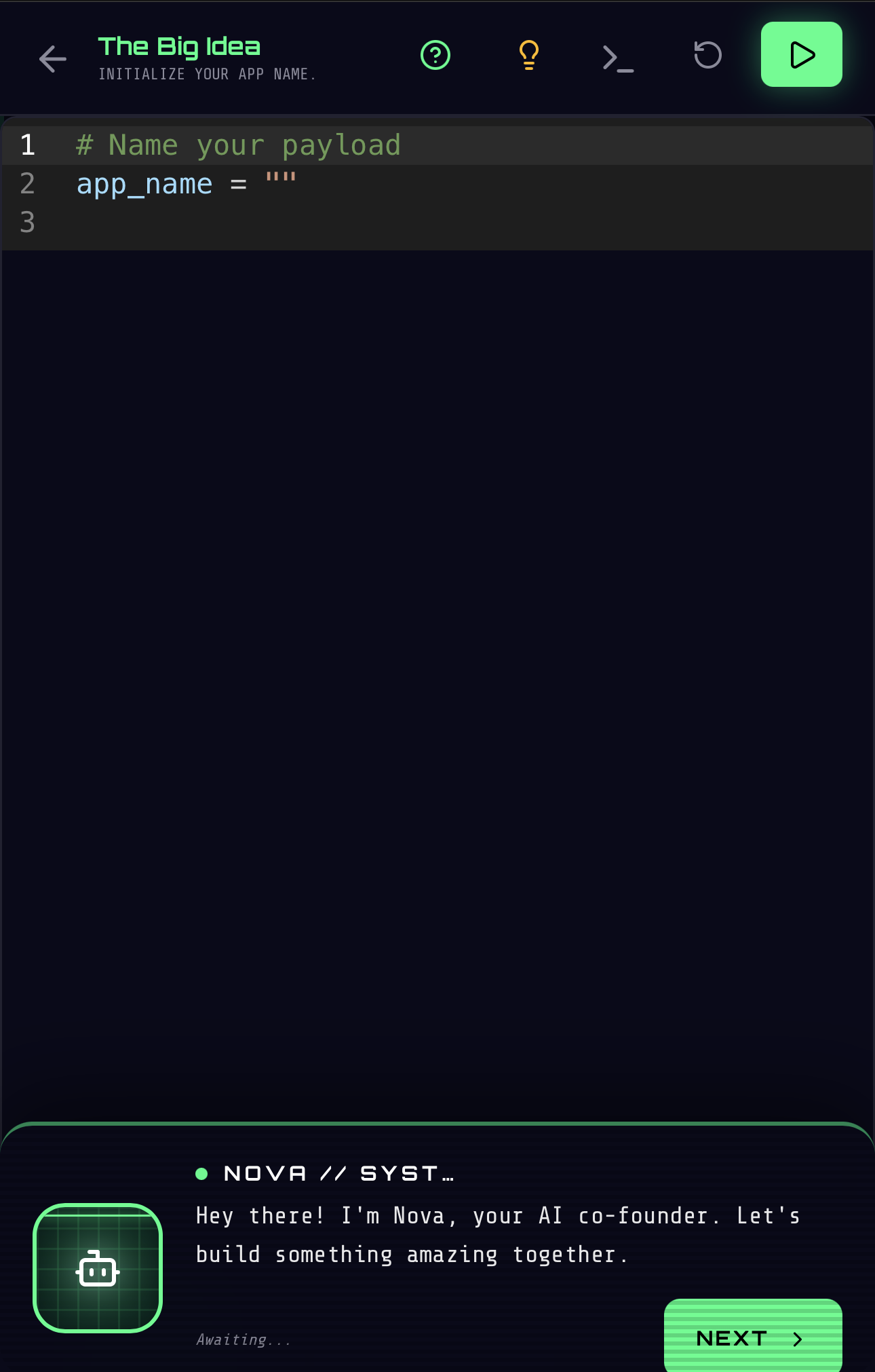
Zeroshot turns coding education into a cyberpunk narrative. Instead of passive tutorials, you complete missions — writing real code guided by Nova, your AI co-founder. Starting with Python fundamentals, the journey progresses through data structures, PyTorch, and into LLMs and AI/ML concepts. Each sector has Easy, Medium, and Hard difficulty tiers with star-based progression.

Mission Control with sectors and difficulty
In-app code editor with Nova AI
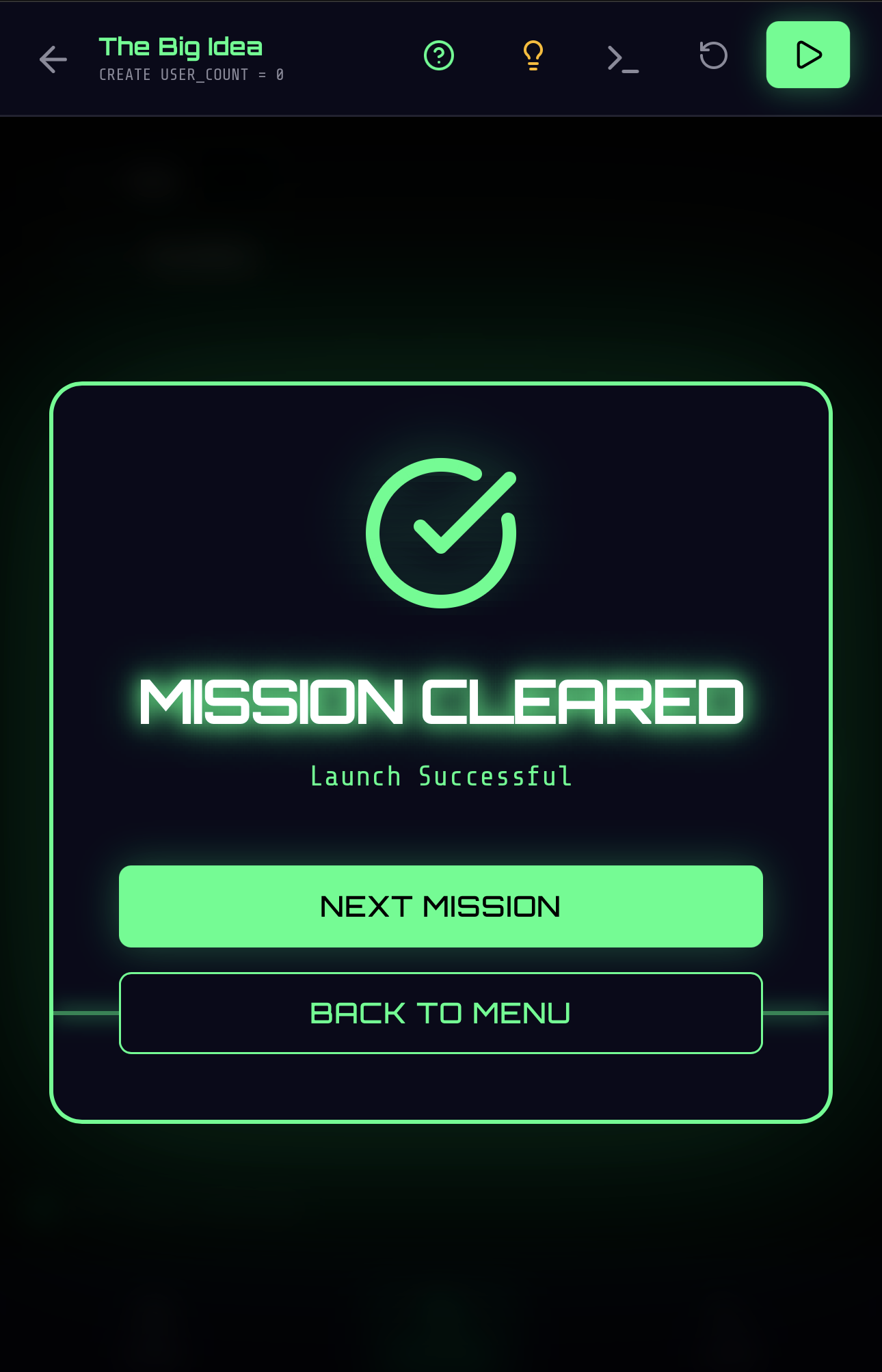
Mission Cleared success screen
4
Learning sectors
Nova
AI co-founder
3
Difficulty tiers
Mission-Based Learning
Complete coding challenges organized into cyberpunk-themed sectors.
Nova AI Guide
An AI co-founder that provides hints, reviews code, and adapts to your pace.
In-App Code Editor
Write and run real Python directly in the app, no setup required.
Python to LLMs
Progress from basics through PyTorch and into transformers and AI/ML.
React Native Expo TypeScript Google Gemini Zustand
Exhibit 07

Gumball

AI Agent Builder
Project details →

Create AI agents with your voice — each one gets a custom, task-aware workspace designed for what it does.

Gumball is a mobile app where non-technical users describe what they need in plain language, and the app builds a custom workspace for it. Not a chatbot. Not a prompt box. A real, purpose-built UI that adapts to the task — housing trackers get price charts and signal cards, tweet composers get draft editors and tone pickers, research agents get source lists and metrics tables. The UI is the output.

11
Block types
7
Color moods
44
Tests passing
Task-Aware UI
Claude analyzes your request and picks the right blocks: signal cards, metrics, charts, drafts, sources, scripts. Same app, different workspace every time.
Mood System
7 color schemes (Ocean, Sunset, Forest, Lavender, Ember, Slate) that tint the entire workspace. Claude auto-suggests based on domain.
Versioned Editing
Edit agents in natural language. Each edit creates an immutable version snapshot. Browse history, compare changes, roll back.
Conversational Creation
Multi-turn dialogue with Claude to refine your agent. Smart questions with suggested defaults. Build when ready.
Non-Technical Users Solopreneurs Content Creators Researchers
React Native (Expo) Anthropic Claude Zustand Zod Reanimated TypeScript
Exhibit 08

HyperFit

Strength Training OS
Project details →

An honest mirror for strength training — recruitment-weighted muscle heatmap, share-ready session cards, PR detection. No streak shaming, no gamified noise. → The story

Most lifting apps either copy guided-workout patterns (one set at a time, hidden inputs) or pile on badges and streak guilt to keep you swiping. HyperFit does neither: every set's weight and reps fields are visible at once, ghost-value placeholders show what you lifted last time, and the only "celebration" is a recruitment-weighted body silhouette filling in across front and back as you log. Anthracite base, strava-orange for active lifts, robinhood-green for session-volume gains.

Platform
iOS · Watch
Heatmap
Vol + Recovery
Share Card
1080×1350
•
Anatomy-Aware Heatmap Per-muscle volume on a front/back silhouette; toggle to a recovery-decay model
•
Plan Creator Multi-day splits, day-of-week scheduling, single-active enforcement
•
Shareable Workout Cards Off-screen 1080×1350 capture with top muscles, PR badges, brand watermark
•
Personal Record Detection Weight, rep, estimated-1RM and volume records on the post-session screen and share card
•
Ghost Last-Session Inputs Set fields pre-fill as faded placeholders — a target, not a tap-to-clone
•
Calendar & History Deep-Links Tap any date to read a session detail with grouped sets and a re-share button
Lifters Hypertrophy Nerds Coaches Build-in-Public Followers
React Native Expo SDK 54 React 19 TypeScript Supabase React Navigation 7 react-native-svg react-native-view-shot Reanimated

A deep-work timer that doesn't lie about whether you focused. Five reaction-time taps before, five after — the chart tells the truth. No streaks. No celebration. Just the meter.

The average focus session in 2026 is 13 minutes 7 seconds — a three-year low. Most timers count minutes and reward presence. Brevn measures whether your brain was actually on. Each session is bookended by a thirty-second psychomotor-vigilance check (five reaction taps + a 1–5 alertness scale). The result screen shows the pre/post delta, a 0–100 quality score, and a one-line read in honest English: “Sharper after than before.” “Mixed signal — improved on one measure, not both.” “You finished, but you were sharper before. Worth noting why.” After three sessions, Trends surfaces personal patterns — sharpest hour, sweet-spot duration, whether breaks help you. Personal n=1 only. No stranger’s averages.

Platform
iOS Beta
Measurement
RT + Alertness
Quality Score
0–100
•
Pre/Post Cognitive Check Five reaction-time taps on a green flash, plus a one-tap alertness scale — thirty seconds, twice per session
•
Honest Quality Score 0–100 composite of completion, alertness shift, and RT delta — with a plain-English read of what actually happened
•
Distraction Logging One pill: “I got distracted.” Tap to log without breaking the timer — distraction is data, not failure
•
Measured Movement Breaks Optional 60-second eye-rest, posture-reset, neck-mobility, breath-reset cues. Trends shows whether they help you
•
Personal Trends (n=1) After three sessions: your sharpest hour, your sweet-spot duration, your break-density correlation. No stranger’s averages
•
Local-First Data Sessions live on your device. Sign out anytime, the data remains. No selling, sharing, or training
Engineers Researchers Writers Quantified Self
React Native Expo SDK 54 React 19 TypeScript Supabase React Navigation 7 react-native-svg AsyncStorage Apple Sign-In
Exhibit 10

HFE Studio

AI Video Production System
Watch it working →

A local-first video production system — an editing tool for a non-editor. It takes a video from idea to published cut, and everything renders on your machine at $0 by default.

HFE Studio automates the mechanical work of video production — render, stitch, subtitles, sound design, metadata, thumbnails, publish — and leaves the creative calls to you. An AI director storyboards every cut against a genre-aware quality bar and critiques its own work before a single frame renders. It speaks your voice too: record narration on your phone and Whisper times the captions to your actual read. The proof it works is public — it produces Hyperfocused AI, a channel teaching machine learning and LLMs from first principles, plus five more channels, end to end.

$0
Default render cost
40+
Motion components
6
Channels in production
The Director
Storyboards every scene, scores its own cuts against an 8/8/8 quality bar, and revises until the storyboard earns the render.
Your Voice, Your Assets
Record narration in your own voice — Whisper times captions to the actual read. Real screenshots and your own art over AI placeholders.
Sound Design & Kinetic Captions
Auto-placed SFX cues synced to the visual timeline, and word-pop captions driven by per-word timings.
Publish Pipeline
Metadata, chapters, thumbnails, subtitles, and YouTube upload — with provenance and attribution baked into every clip it borrows.
Creators Who Don't Edit Educators Build-in-Public Engineers
TypeScript Remotion Motion Canvas Anthropic Claude Whisper ffmpeg

Hyperfocused AI

YouTube →

Machine learning and LLMs taught from first principles — no math walls, no hand-waving. Every video is produced end-to-end by HFE Studio (Exhibit 10): the AI director storyboards it, the pipeline renders and publishes it.

Playlist · 8 videos
Machine Learning from Scratch — for Complete Beginners (No Math)
Playlist · 6 videos
How LLMs Actually Work — Tokens, Embeddings, Attention, Transformers
Channel
All videos — new explainers every week

Livestreams

YouTube →

Learning by doing — mostly livestreams with raw, real-time problem-solving. Exploring new technologies, building apps, and sharing the journey one stream at a time.

Series
AI & Machine Learning
Series
Vibe Coding
Series
DSA & LeetCode
Series
System Design
Series
Data Structures
Series
Building in Public