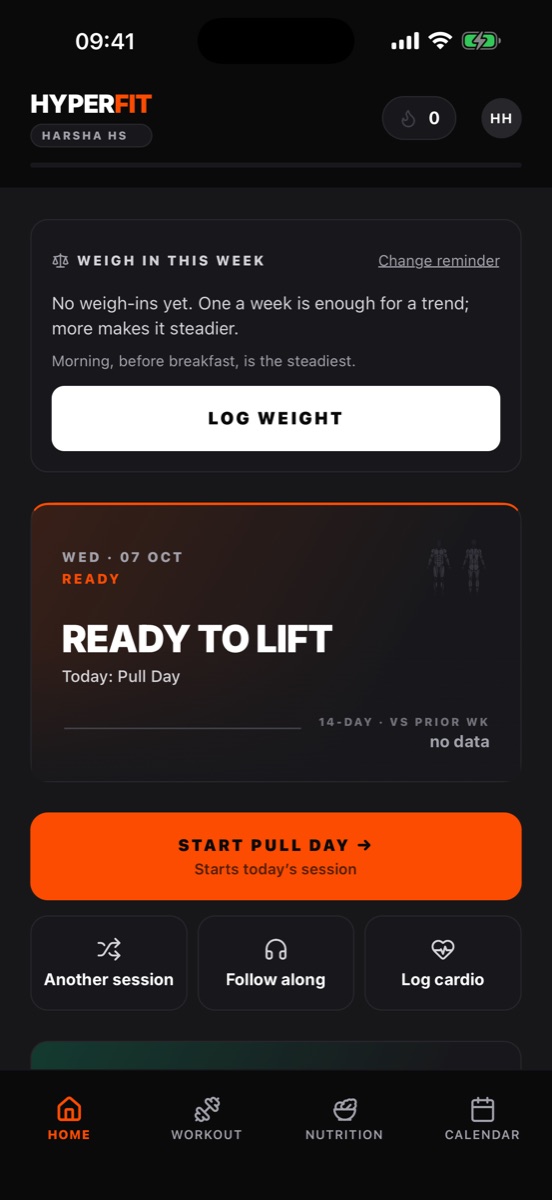
Anthracite base, strava-orange for the active set, robinhood-green when your session
volume beats the last one. Mono numerics with tabular figures so every readout lines up.
Every screen is built around one question: did the work happen, yes or no?
— 01
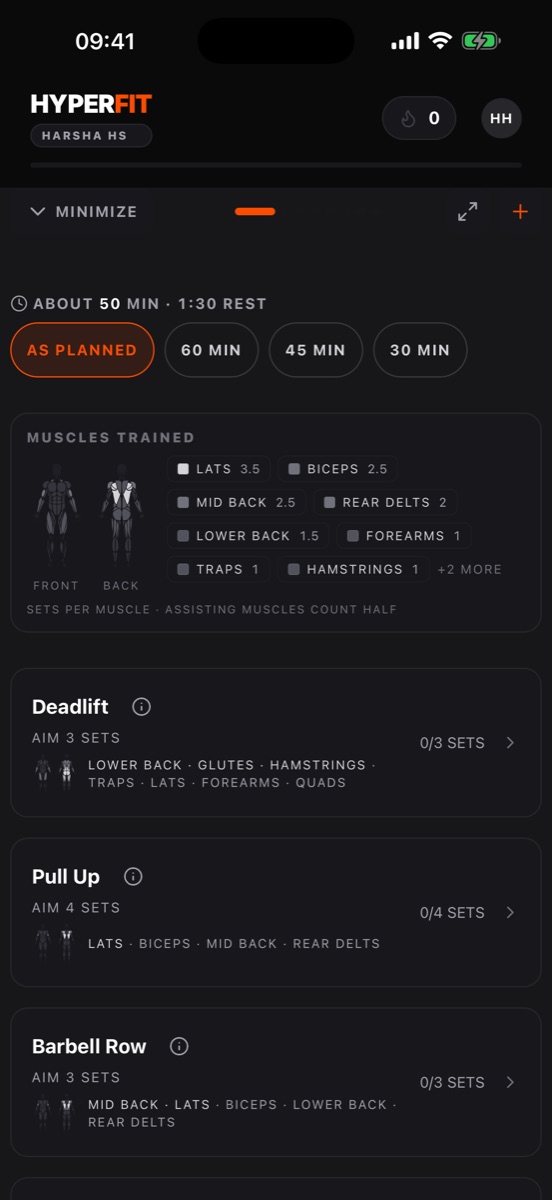
Anatomy-aware muscle heatmap
Recruitment-weighted volume per muscle, rendered onto a front/back silhouette.
Toggle between volume mode and a recovery-decay model that shows what's actually fresh today.
— 02
Plan creator + active-plan rail
Build a multi-day split, assign sessions to days of the week, and the app
schedules from there. One plan active at a time — no clutter.
— 03
Shareable workout cards
Every finished session generates a 1080×1350 card with your silhouette,
top muscles, and PR badges — ready for stories. Re-share past sessions from history too.
— 04
PR detection
Heaviest weight, rep, estimated-1RM and volume records, judged only against your
own history. The PERSONAL RECORDS card and the share card show it actually happened.
— 05
Last time and today’s target
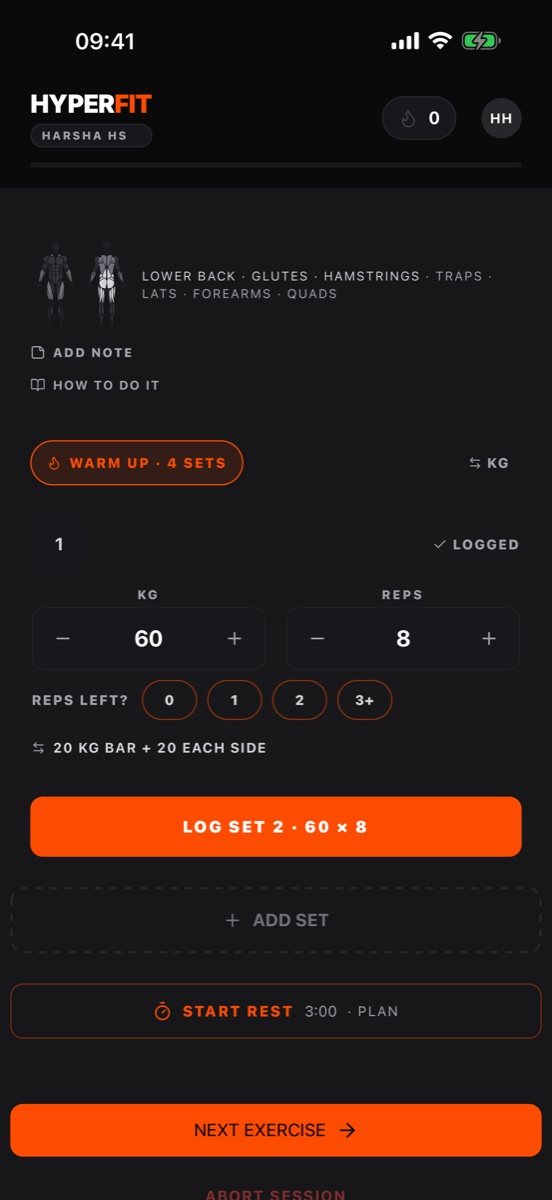
Set fields show last time’s numbers and today’s target as faded placeholders.
LOG SET or USE fills them in with one tap, so you only type when you beat it.
— 06
Editable session history
Calendar deep-links into a session detail view with grouped sets per exercise,
duration, total volume, and a share button that works months later. Tap the pencil
to fix a typo’d weight or rep without re-logging.
— 07
Nutrition tracking
Per-day macro pills, meal entries with slot (breakfast / lunch / dinner / snack)
and a free-text label like “Pre-workout.” Cheat-day toggle that
doesn’t pretend the meal didn’t happen. The This Week card folds
nutrition + lifting into one signal.
— 08
Water intake, the way you actually drink
One-tap CUP or BOTTLE presets plus + for any amount, in ml or fl oz. Stored in ml, displayed
in ml or oz per your setting. Water is the rare metric where more is unambiguously
better, so it gets robinhood-green every time you log a tap.
— 09
Social shareable plans & cards
Flip a plan to shareable to mint a code; anyone with it lands on a public preview
page with the muscle silhouette already lit up by intensity. Workout cards drop
straight into Instagram / Stories / iMessage at 1080×1350. Rotate or revoke
a share code anytime.
— 10
Onboarding that respects your time
Four screens: name + units, goal (BUILD / CUT / MAINTAIN / JUST TRACK), the gear you
have, and a starter plan that fits it. Under a minute before your first set.
Every feature was tested the same way: in a real workout, by the person who built it.
— NEW
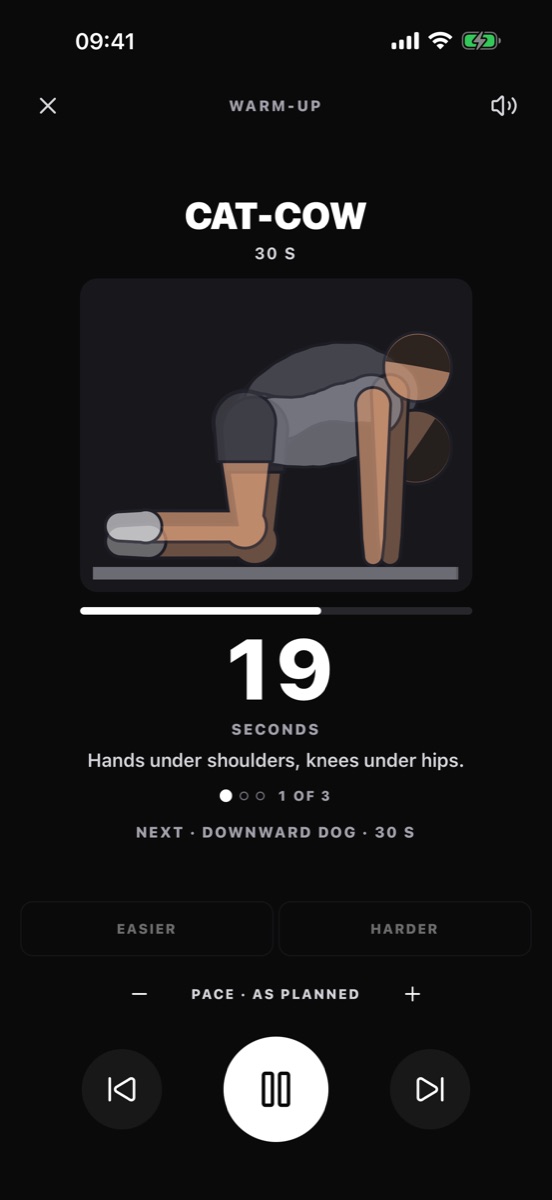
Follow-along routines
Mobility, core, a bodyweight circuit and walk/run intervals, with a voice coach that counts reps and gives form cues. Easier, harder, or a different pace in one tap.
— NEW
Apple Watch & widgets
Log sets and start rest from the wrist. Home Screen and Lock Screen widgets show today’s session and your week. A Live Activity counts down rest on the lock screen.
— NEW
Siri shortcuts
“Start Core 10 in HyperFit”, “Log water in HyperFit”, “Log my weight in HyperFit”. Water, weight and cardio logs work even with the app closed.
— NEW
Smarter sets
Next-set targets from last session, suggested rest by lift, warm-up ramps and plate math, drop sets, supersets, and a short version of the session when you’re short on time.
— NEW
Fitness check & cardio
Nine self-tests (pull-ups, dead hang, sit-rise…) judged against your own last result. Log runs, rides and swims. Steps and cardio from Apple Health, on the phone only.
— NEW
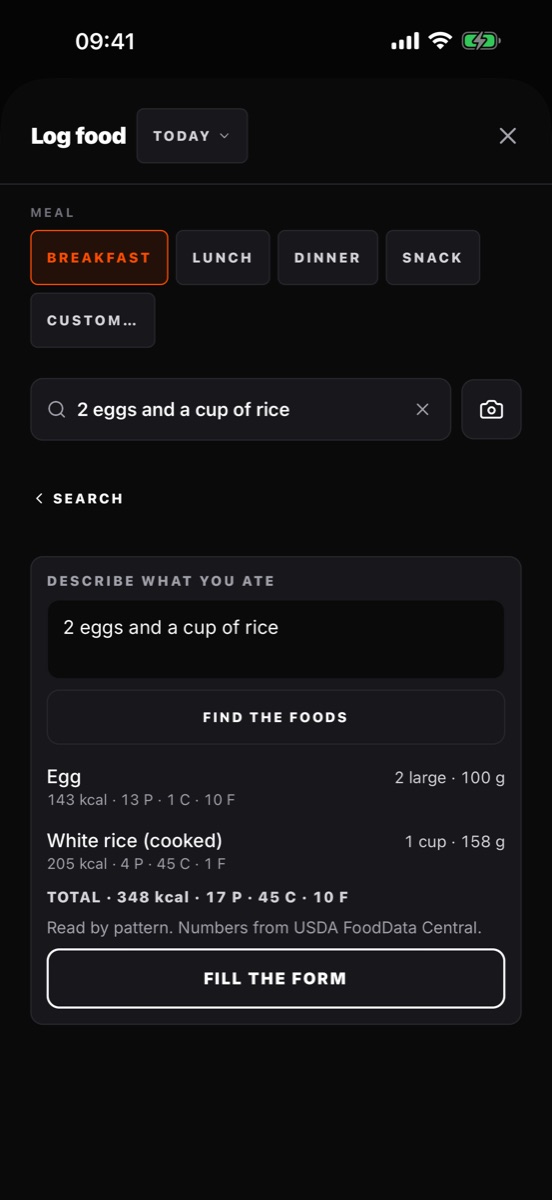
Describe or photograph a meal
Type “2 eggs and a cup of rice” and get USDA numbers, or point the camera at a nutrition label. It’s read on the device, and the photo is never uploaded.
— NEW
Your foods & quick log
Foods you log are remembered and scale to the amount you type. Your usual breakfast is one tap.
— NEXT
Android
The codebase is already cross-platform. What’s left is store assets, signing and a real device pass.